When someone searches for “pharmacy near me”, “car repair in Kisumu” or “best restaurant in Westlands”, Google shows a map with a short list of local businesses. Appearing in that list can bring a steady stream of calls, directions requests and walk-in customers, and it costs nothing. The key is your Google Business Profile (formerly Google My Business).
Contents
- What is a Google Business Profile?
- Step 1: Create and claim your profile
- Step 2: Verify your business
- Step 3: Complete every section
- Step 4: Add great photos
- Step 5: Get and respond to reviews
- Step 6: Post updates
- Step 7: Keep information consistent
- Step 8: Track results
- Common mistakes to avoid
- Next steps
- Frequently asked questions
What is a Google Business Profile?
It is a free listing that shows your business’s name, location, hours, phone number, website, photos and reviews on Google Search and Google Maps. For local businesses such as shops, salons, clinics, restaurants, garages, schools and hotels, it is often more important than a website.
Step 1: Create and claim your profile
- Go to Google Business Profile and sign in with a Google account you control (use a business account, not a staff member’s personal one).
- Search for your business. If it already exists, claim it; if not, create it.
- Enter your exact business name, as used on your signage. Do not add keywords or locations to the name; Google can suspend profiles for this.
- Choose your primary category carefully, as it strongly affects where you appear. Add relevant secondary categories.
- Add your address, or if you serve customers at their location, your service area.
Step 2: Verify your business
Google needs to confirm you are the real owner. Verification options include video recording, phone, email or postcard, depending on your business. Follow the instructions carefully; a video verification usually needs to show your signage, location and proof of management, such as keys or tools.
Step 3: Complete every section
- Phone number that is answered during business hours
- Website or social media page
- Opening hours, including special hours for holidays
- Business description: what you offer, who you serve and what makes you different, in plain language
- Products and services with prices where possible
- Attributes such as accessibility, payment options (mobile money, cards) and parking
Complete profiles are more likely to be shown and more likely to be chosen.
Step 4: Add great photos
Profiles with photos receive more attention. Add:
- Your logo and a cover photo
- The outside of the premises, so people recognise it on arrival
- The inside, your team and your products or work
Use real, well-lit photos and add new ones regularly.
Step 5: Get and respond to reviews
Reviews are one of the strongest factors in local rankings and customer decisions.
- Ask happy customers for reviews. Share your review link by WhatsApp, SMS or a QR code at the counter.
- Respond to every review, positive or negative, politely and professionally.
- Handle negative reviews calmly: acknowledge the issue, apologise where appropriate and offer to resolve it offline.
- Never buy fake reviews or offer incentives for positive ones. This breaks Google’s policies and can get your profile penalised.
Step 6: Post updates
Use Google posts to share offers, events, new products and news. Regular activity signals that your business is open and engaged.
Step 7: Keep information consistent
Make sure your business name, address and phone number are the same on your profile, website, social media and directories. Inconsistent details confuse both customers and Google.
Step 8: Track results
The profile’s performance section shows how many people viewed your profile, called you, requested directions or visited your website. Use these numbers alongside the methods in our guide to measuring marketing ROI.
Common mistakes to avoid
- Stuffing keywords into the business name
- Wrong or outdated opening hours
- A phone number nobody answers
- Ignoring reviews and questions
- Creating duplicate profiles for the same location
- Using a virtual office address when you do not serve customers there
Next steps
Once customers find you, keep them coming back. An email or SMS list is a great way to do this; see our guide to email marketing for small businesses. If you have not yet formalised your business, our guide to registering a business in Kenya will help, as verification is easier with official documents.
Frequently asked questions
Is Google Business Profile free?
Yes. Be wary of anyone charging you to “register” with Google; you can do it yourself at no cost.
Can I have a profile without a physical shop?
Yes, as a service-area business, if you visit customers at their location. Your address can be hidden.
How long does it take to appear in local results?
Often within days of verification, but ranking higher takes time, reviews and consistent activity.
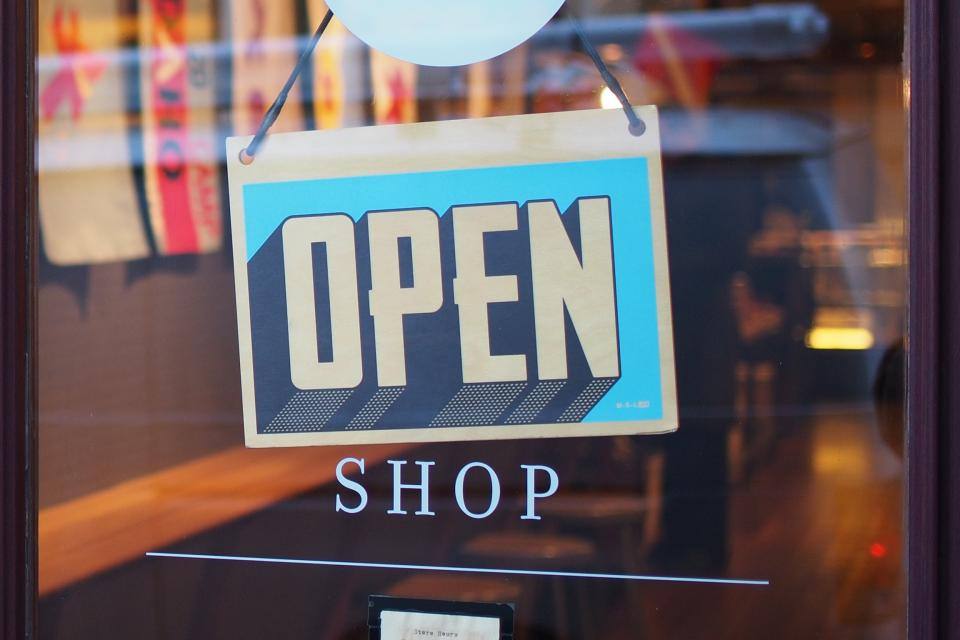
Featured image: Shop Store by Mike Petrucci via Stocksnap, CC0 (public domain).